• Home
  • About Us
  • Authors
  • Submit News
  • Contact Us
  • Privacy Policy
  • Sitemap
The Hack Post
  • Hacking News
    • Cyber Crime
  • Cyber Security
  • Technology
    • Internet
  • Entertainment
    • Gaming
  • Business
  • Science / Health
No Result
View All Result
The Hack Post
No Result
View All Result

How To Avoid Facebook Scams And Viruses

Sofia Peterson by Sofia Peterson
March 6, 2019
How To Avoid Facebook Scams And Viruses
Share on FacebookShare on Twitter

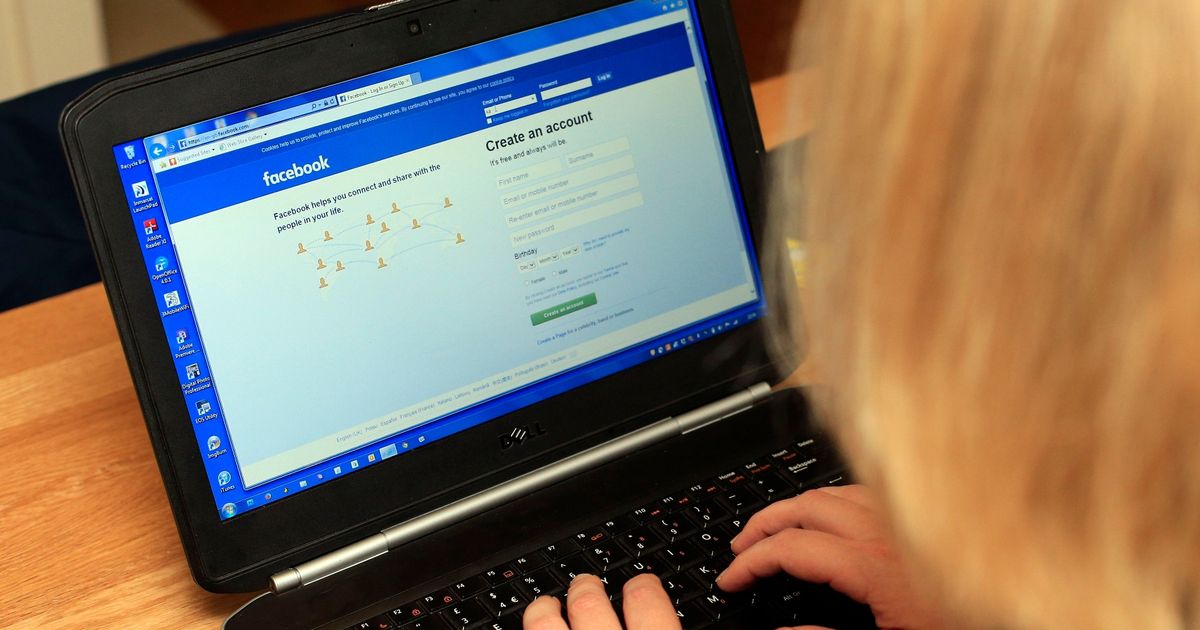
Facebook is home to more than a billion daily users, businesses, pages and unfortunately, viruses and scams.

Popular social media networks are the perfect place for malware distribution and all sorts of scams that trick you into giving your money, personal information and data.

When browsing Facebook, users are likely to experience online threats such as the OMG Facebook virus, so keep these tips in mind in order to avoid them.

Learn How To Identify A Facebook Scam

Malware on Facebook often comes in a clickbait form, i.e., a giveaway that attracts attention or an outrageous headline. The first sign that it could be a potential malware is when it’s almost too good to be true.

A Facebook account can be taken over and messages that come from the profile can be sent to his or her friends. Some of the most obvious malware attacks include the following:

– Promotions, messages or posts from friends that don’t seem to come from them.

– A message that contains a video and uses the starting phrase, “hey. is this you?”, followed by an unfamiliar external link.

– A Facebook friend approaches you and starts promoting a product or a service.

To stay safe, don’t click on any links immediately. Avoid accepting Friend Requests from people you don’t know.

Review Your Authorized Apps

You’ll need to regularly review and see if all the apps that has access to your FB account are safe. For instance, the OMG Facebook virus starts out as a Facebook game but turns into a malicious platform once it acquires your confidential information. Worse, it sends out trojan messages to all the user’s friends for further infection.

Check your Applications and see if your authorizations are correct. Click the pencil icon to review the app’s current permission settings.

Take Steps To Secure Your Account

Turn on Login Alerts so you’ll know when someone has logged in to your Facebook account on an unknown device.

Browse through Recognized Devices and scan for any strange ones that you may have missed.

Lastly, enable Two-Factor Authentication to make it harder for hackers to access your account.

Tags: Facebook ScamsViruses
Sofia Peterson

Sofia Peterson

Sofia is a contributor at The Hack Post who loves to write about Technology. She also enjoys reading books and swims during her free time.

Next Post
What Is Ransomware And How To Survive It

What Is Ransomware And How To Survive It

Latest Articles

Group exercising in a sunny park with yoga mats and fitness equipment for outdoor health benefits
Business

Outdoor Fitness Activities for Better Health

May 24, 2026
Abstract representation of ethical guidelines and safety protocols in AI software development
Cyber Security

Gunnari Auvinen: Ethical Priorities and Safety Practices in AI Software Development

May 21, 2026
SOC 2 compliance software dashboard displaying security and compliance monitoring features
Cyber Security

SOC 2 Compliance Software Explained: Features, Benefits, and Use Cases

May 18, 2026
Person jogging in summer wearing lightweight clothing and drinking water to stay cool while exercising
Featured

4 Ways to Keep Cool While Exercising During Summer

May 10, 2026
Telegram chat interface displaying fraud alerts and scam warnings for online marketplace activity
Cyber Security

A Marketplace of Deception: Navigating Telegram Fraud Monitoring

May 10, 2026
City skyline with residential and commercial buildings representing focused real estate investment
Business

KC Kronbach: Why Real Estate Investors Focus on One Market or Property Type

May 8, 2026
Multi-factor authentication verification process with security icons highlighting data protection risks
Cyber Security

The MFA Fallacy: Why Multi-Factor Authentication Alone Will Not Protect Your Company From a Data Breach

May 7, 2026
World War II map highlighting global power shifts and formation of modern international alliances
Business

Van Hipp: How World War II Shaped the Modern Global Order

April 24, 2026
Indian Oil Credit Card showcasing rewards and savings on daily fuel and shopping expenses
Business

Understanding everyday spending benefits of the Indian Oil Credit Card

April 9, 2026
Alpine skier navigating snowy slope with visible safety gear and mountainous winter scenery
Entertainment

Hampton Luzak: Important Safety Tips for Alpine Skiers

April 2, 2026
Assorted high-quality nurse scrubs in vibrant colors displayed neatly for selection and comparison
Business

The Ultimate Guide to Choosing a High-Quality Nurse Scrubs Range

March 27, 2026
PVC window frames and modern interior decor showcasing innovative uses of polyvinyl chloride
Business

From Windows to Interior Design: Everything you Didn’t Know about the Birth of PVC Object

March 23, 2026
  • Home
  • About Us
  • Authors
  • Submit News
  • Contact Us
  • Privacy Policy
  • Sitemap

The Hack Post © 2019

No Result
View All Result
  • Hacking News
    • Cyber Crime
  • Cyber Security
  • Technology
    • Internet
  • Entertainment
    • Gaming
  • Business
  • Science / Health

The Hack Post © 2019