
Unless you are a hermit living off the grid, you are likely to be using one social media platform or the other.
Even if you don’t fancy personal platforms such as Facebook, you might have an account with LinkedIn for professional purpose.
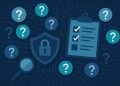
But being connected on social media also comes with privacy concerns.
Many people use social media platforms without giving a thought to privacy even though it could have devastating consequences.
What can happen if you are lax with your privacy on social media?
- You could be easily profiled and monitored by government, advertisers and even
- Information gleaned from your profile can be used to launch a cyberattack on you or your family.
- Your account may also be hijacked by identity thieves.
With no privacy protection in place, anybody can view your social media profile and read your personal information.
In this article, we will explore ways to protect your social media privacy and stay safe online.
- Always Read the Terms and Privacy Policy
Before ticking the “Accept” box to sign up for a social media account, make sure you read their terms and privacy policy.
If you don’t, you may unknowingly agree to a lot of exploitative and unfair terms.
The terms of use and privacy document are usually long, but protecting your social media privacy warrants that you make an effort to read them.
From the terms, you will know what information you are giving up, how your data is will be processed and stored and whether you can permanently remove shared data.
When you are properly informed by going through the terms, you can then determine if the platform is for you.
- Limit Personal Information Sharing
Are your street address and grandma’s name publicly available on social media?
Letting everyone know where you go to on Friday nights can be a security risk. Your personal information should be closely guarded on social media or not shared at all.
Free access to your account data and activity may attract unwanted attention. Even your potential employer can see your indiscretions from your profile. You are making it easier for data mining bots to build a complete profile of your digital self.
If you must share personal information, make sure it is on lockdown such that only close friends and family can see such posts.
- Dig Deeper into Privacy Settings
Most social media websites have complex privacy settings hidden from the main menu. These settings allow you to set various rules about your account activity.
Whether you want to limit certain posts to a group of friends or block specific followers, the options are usually available.
For example, on Facebook, you can block search engines from indexing your posts, prevent profile search via phone and restrict who can contact you.
If you don’t know where to find a setting, a quick Google search can help.
- Separate Your Social Media Accounts
Do you have more than one social media account?
Linking all those accounts together is bad for your privacy.
With linked accounts, it is easier for bots and people to track and follow you from one platform to the other. A malicious person can also build your complete* personality profile by combining data from several platforms.
To maintain your privacy, keep your social media accounts separate.
- Tackle Privacy Concerns with Specialized App
If you want to send messages to friends or interested groups without worrying about privacy settings or leaving an online, choosing a platform built for privacy is a great option.
The InnerGroup app, a secure messaging platform allows you to create and join groups and chat with people anonymously.
In addition, you don’t need a phone or email to register and your personal data are not stored so that your privacy is fully protected.
Social media privacy is important for security and peace of mind, but you don’t have to abandon modern technology to stay safe. Following the tips above will strengthen your online privacy and ensure that your personal information doesn’t end up in the wrong hand.