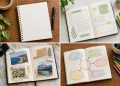

Graphic pads allow you to draw illustrations, create diagrams, edit photos, create book covers or posters. But without special programs, it’s impossible to create a design for your program, which will be able to compete with a 20Bet mobile app or a popular online store in terms of usability. Here are the best programs for drawing on a graphics tablet.
Paint
It’s not the most functional but free editor. It allows you to draw in different ways. And Windows users don’t need to install the application – it is included in the standard software package and comes with a minimal list of tools. With Paint, you can paint with a pencil or paintbrush, cut, copy, paste and trim, erase images, and perform fill-in.
Gimp
A graphics editor with features comparable to Adobe Photoshop. In fact, it is a free analog of Photoshop, not too easy to learn, but quite functional – and therefore suitable for both beginners and advanced users.
It allows you to work with dozens of tools and with layers, overlaying each other pictures and outlines. With its help you can edit images, save them in popular formats and archive them.
This program works on Linux, macOS and Windows – although when using a tablet, you should consider making it compatible with the corresponding platform as well.
MyPaint
A free program for creating digital images, offering the minimum functionality of professional graphics editors. Among its features – unlimited canvas size and a simple interface that does not distract from the work. There is an opportunity to use the keyboard shortcuts on the PC and further processing in other graphics editors, layer support, a large set of brushes and settings.
This program allows you to save the result in different formats – from ORA to JPG. It supports multiple digital models and can restore the last document if it is closed unexpectedly.
On the downside, it has less functionality compared to an editor like the Gimp because it doesn’t offer filters and zooming.
SmoothDraw
A program with a simple and easy to use interface that does not require much time to learn. It allows you to work with layers, rotate the virtual canvas and work with many tools, including special ones like graffiti, grass, stars and water drops.
The brush set includes different kinds of digital pencils, pens, and felt-tip pens. And you can work with it using both a computer mouse and a graphics tablet with a stylus.
You can work with a computer mouse and a pen tablet using a stylus. The main features of Smooth Draw are easy switching of tools and subpixel technology that gives you a high quality image. You can download the program completely free for all desktop systems, as well as for iOS and Android. Projects are saved in all popular formats.
Artweaver
Editor, the functionality of which is comparable to Adobe Photoshop. Unlike Photoshop, the app is free – but still allows you to simulate brush, oil, pencil, and chalk drawings, work with layers and stamps. After you’re done, you can add special effects and save the project in a variety of formats, including BMP, GIF, JPEG, PNG, PSD, and even your own AWD extension.
The functionality of this software is enough to quickly retouch photos, resize them, adapt them for the Internet and draw with a graphics tablet. And on the list of pluses there are minimal hardware requirements for your computer, a simple and straightforward interface even for beginners and completely free to use.
Inkscape
A vector illustrator that supports working with tablets, providing high pen pressure sensitivity. Not intended for use by professionals, because of the lack of a suitable set of features. But quite suitable for creating uncomplicated images – artistic and technical illustrations, diagrams, line drawings and logos.
The editor offers a good set of tools and exports to common formats, raster and vector. It is also multiplatform, thanks to its ability to work with all desktop operating systems.