
• Home
  • About Us
  • Authors
  • Submit News
  • Contact Us
  • Privacy Policy
  • Sitemap
The Hack Post
  • Hacking News
    • Cyber Crime
  • Cyber Security
  • Technology
    • Internet
  • Entertainment
    • Gaming
  • Business
  • Science / Health
No Result
View All Result
The Hack Post
No Result
View All Result

Use Rich Text Formatting and Instant RSVPs on Your Gmail Accounts

Zaid Rasheed by Zaid Rasheed
February 25, 2016
Use Rich Text Formatting and Instant RSVPs on Your Gmail Accounts

Use Rich Text Formatting and Instant RSVPs on Your Gmail Accounts

Share on FacebookShare on Twitter

A lot of people these days would rather use their phone for practically everything— and email is no exception. More and more people rely on their smartphones, and as they do, Google is taking a new step to let users check their emails and respond to important contacts faster and more efficiently than before, as well as emphasize what’s important in a document.

In this article, we’ll highlight some of these new features:

Instant RSVPs for Google Calendar or Microsoft Exchange
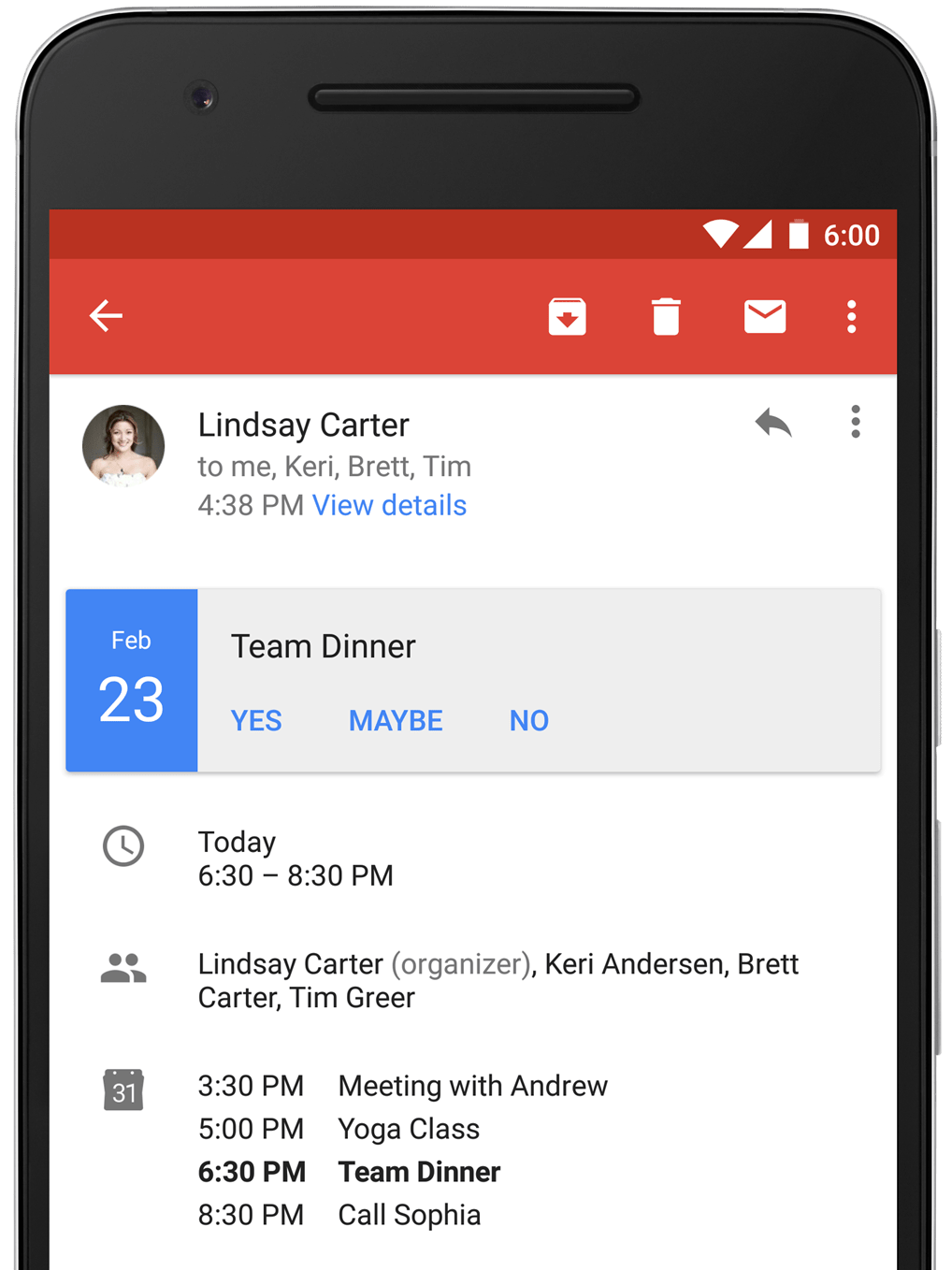
According to Matthew Izatt, Product Manager for Google, the most frustrating part of scheduling appointments has always been having to open up several applications to squeeze in meetings or finding out that meeting times had been cancelled because they couldn’t be managed from just one app. Now, Google Calendar and Microsoft Exchange, all calendar invitations are automatically sent to your Gmail account as a “one- tap option” that shows your schedule so that you can respond.

Using RTF (Rich Text Formatting) Within Your Emails
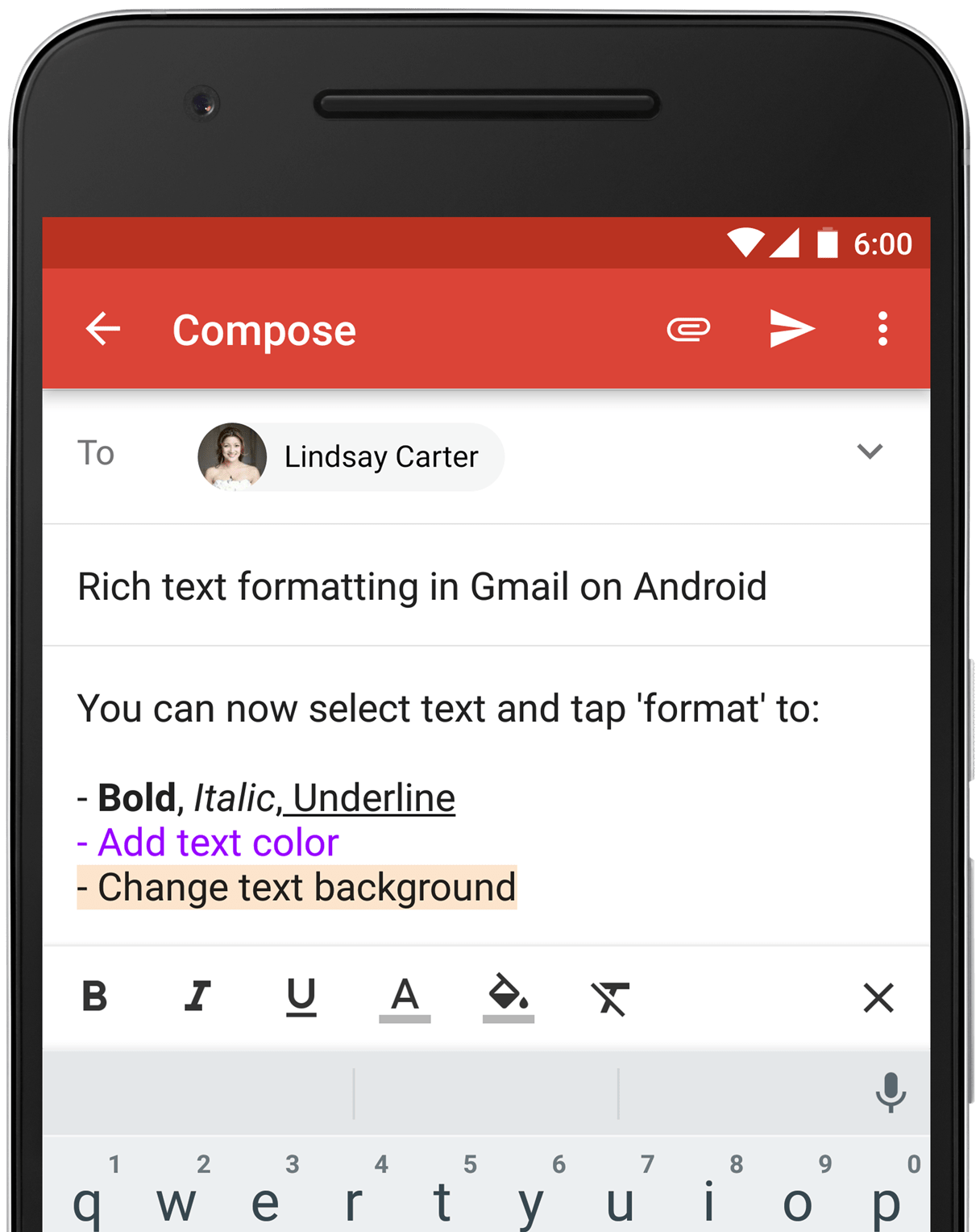
sing RTF (Rich Text Formatting) Within Your Emails
Now there are lots of options for your emails! All you have to do to edit the bold, italic, underlined, colored, or highlighted text on your important emails, using the same formatting options that you have from your laptop:

  1. Select the text that you want to format
  2. Select format options (bold, italic, underline, add text color, and change text background)
  3. Choose the format that you prefer

You can use these new formatting options to help you show what’s most important on your emails, helping you better communicate, right in the palm of your hand.


Tags: Gmail Instant RSVPsGmail Use Rich Text Formatting
Zaid Rasheed

Zaid Rasheed

A senior technical writer and content creator at The Hack Post. Cyber Security Expert for longer than I can remember and an adamant lover of Social Media. Writing is a passion of mine and The Hack Post lets me express that.

Next Post
Google Project Shield

Google Introduces Project Shield in the Hopes of Protecting the World’s News from Digital Attack

Latest Articles

Conceptual graphic illustrating data breach monitoring and exposure intelligence solutions for businesses
Cyber Security

HIBP Alternatives for Businesses: Moving From Breach Lookup to Exposure Intelligence

June 16, 2026
Modern gaming setup with dual monitors, ergonomic chair, LED lighting, and surround sound
Gaming

Tips for Creating a Gaming Setup for Optimal Immersion and Comfort

June 6, 2026
Advocacy for disability rights with support and resources led by Laurence Grigorov
Business

Laurence Grigorov: Supporting Advocacy Efforts That Safeguard Disability Rights

June 4, 2026
Cloud application security best practices illustration with shield and cloud icons
Cyber Security

CNAPP Best Practices: 6 Ways to Keep Cloud Applications Secure

June 4, 2026
Mobile game user interface illustrating backend technology and seamless gameplay experience
Gaming

From Login to Game Launch: The Tech Stack Behind Mobile Gameplay

June 4, 2026
Cybersecurity health check dashboard showing risk score for businesses in minutes
Cyber Security

Cybercy Group Launches Free Cybersecurity Health Check That Reveals a Business’s Risk Score in Under Two Minutes

May 31, 2026
Artificial intelligence analyzing code for improved software quality assurance testing
Business

How Large Language Models Are Transforming Software Quality Assurance

May 31, 2026
Group exercising in a sunny park with yoga mats and fitness equipment for outdoor health benefits
Business

Outdoor Fitness Activities for Better Health

May 24, 2026
Abstract representation of ethical guidelines and safety protocols in AI software development
Cyber Security

Gunnari Auvinen: Ethical Priorities and Safety Practices in AI Software Development

May 21, 2026
SOC 2 compliance software dashboard displaying security and compliance monitoring features
Cyber Security

SOC 2 Compliance Software Explained: Features, Benefits, and Use Cases

May 18, 2026
Person jogging in summer wearing lightweight clothing and drinking water to stay cool while exercising
Featured

4 Ways to Keep Cool While Exercising During Summer

May 10, 2026
Telegram chat interface displaying fraud alerts and scam warnings for online marketplace activity
Cyber Security

A Marketplace of Deception: Navigating Telegram Fraud Monitoring

May 10, 2026
  • Home
  • About Us
  • Authors
  • Submit News
  • Contact Us
  • Privacy Policy
  • Sitemap

The Hack Post © 2019

No Result
View All Result
  • Hacking News
    • Cyber Crime
  • Cyber Security
  • Technology
    • Internet
  • Entertainment
    • Gaming
  • Business
  • Science / Health

The Hack Post © 2019