
With advancing technology, the need to get online has become more crucial than ever before. However, it can be quite inconveniencing when your Wi-Fi connection is slowing down to a crawl making it hard to stream or access specific content online with ease. If you realize you are not getting sufficient internet speeds, your wireless internet router signal could be the problem. It’s worth noting that the speed of your internet can be affected by many reasons, but knowing how to get a better mobile signal can transform your home internet experience. Don’t let connection problems become a nightmare because you can’t load your favorite apps or surf the internet as comfortably as you would like. With the following tips you can get that fast Wi-Fi you’ve always wanted.
Choose perfect router placement
Your home has various rooms, and none is like the other in terms of size and the equipment. Therefore, where you place your router has a significant impact on your wireless coverage. Many people have different ideas of where to place their router, but the ideal location is at the center of the house. If you are looking at how to improve Wi-Fi, then centrally locating your router is a good starting point. Also, remember for wireless routers to function well, they have to be away from walls and obstructions. Placing them in a central location is the best idea since it also prevents them from overheating.
Purchase a Wi-Fi extender or booster
A Wi-Fi signal extender or booster is essentially the same thing. They amplify your existing signal then rebroadcast it to create a second network that is more stable. The best thing about the extenders is that they have a better range, making them the best choice if you have a weaker original signal.
Update your security
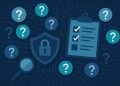
The worst thing that can happen to your Wi-Fi connection is bandwidth leeches. Those extra users do nothing but slow down your Wi-Fi signal. Protecting your Wi-Fi network is vital in keeping freeloaders away. Remember, every connected device uses bandwidth, therefore the more the intruders to your Wi-Fi, the less likely your devices will get the bandwidth they require for optimal functioning. When you have Wi-Fi at home, the priority should be keeping it secure all the time.
Install an Antenna
Most routers use internal antennas, but they are not entirely reliable. Adding an external one is an excellent idea since it tends to send a stronger signal. Many routers come with antennas so you can add them comfortably by yourself. If they aren’t there, many manufacturers sell them separately so you can buy one that’s perfect for your needs. Remember, when it comes to antennas, there are omnidirectional ones that send the signal to all directions and directional ones that focus on a specific direction. Check the antenna you buy first to ensure it will be the perfect choice fit for your router.
Consider Using a Ddifferent Wi-Fi Channel
Most homeowners fail to realize that routers have multiple Wi-Fi channels they can broadcast. Most countries have about six non-overlapping channels, but most users tend to use only one or two of those, in some cases even mobile signal boosters can work, and help solve your problem. Sticking to the same channel can hurt your connection due to Wi-Fi traffic jam since many packets try to drive on the same line. If you want a stable connection, then all you have to do is find the least occupied channel then switch to it. If you find it hard to switch to another channel, you can have a professional do it for you.
Purchase a Newer and Better Router
Sometimes the problem affecting your Wi-Fi connection could be because your router is aging and not meeting your bandwidth requirements. A brand new router can fix your issues since more modern models have proved to perform much better. You not only get a faster connection but also improved home security features to ensure your devices are not compromised. It becomes easier to automate your home using a secure network.
It’s worth noting that your Wi-Fi router determines the internet speed you will get throughout your home. Using the above tips should set you up nicely to enjoy a stable connection and put worries of trouble loading your favorite pages behind. However, if you still get problems with your Wi-Fi, evaluate other options at your disposal. You can’t afford to be in the dark, especially in this highly connected world.